
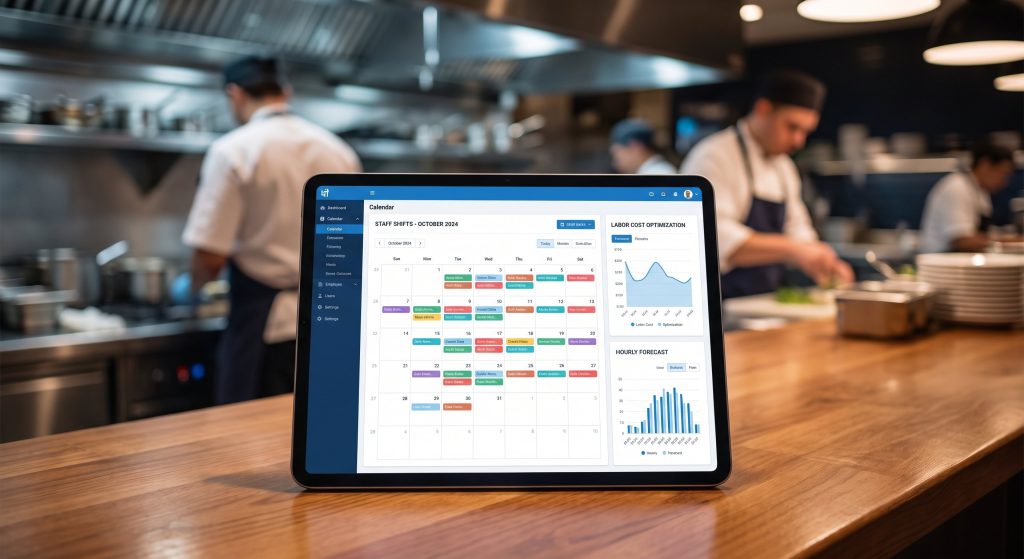
Restaurant Staff Scheduling Software: How to Cut Labor Costs Without Cutting Staff
Discover how restaurant staff scheduling software reduces labor costs, prevents overstaffing, and improves employee satisfaction.…
Read More →Learn how self-ordering kiosks increase restaurant revenue, reduce labor costs, and improve customer experience. Includes ROI data and implementation guide for 2026.
Self-ordering kiosks have crossed the threshold from fast food novelty to mainstream restaurant technology. In 2026, major QSR chains report that kiosk orders consistently outperform counter orders in both average ticket size and customer satisfaction scores. The technology has matured, prices have dropped, and the operational benefits are well-documented. Whether you’re a QSR operator, fast-casual concept, or pizza shop, self-ordering kiosks are worth serious evaluation as a technology investment.
A self-ordering kiosk is a touchscreen terminal—typically 22-32 inches—where customers browse the menu, customize their order, and pay without interacting with a cashier. Orders are sent directly to the kitchen display system (KDS), and the customer receives a receipt or order number for pickup.
Customer approaches kiosk → browses visual menu → customizes items → reviews order → pays → receives order confirmation number → order prints to kitchen → customer collects when called/displayed. The average kiosk transaction takes 2-3 minutes vs 3-5 minutes for counter service—faster for customers, while simultaneously reducing demand on counter staff.
The ROI case for self-ordering kiosks rests on two pillars: revenue increase and labor efficiency. Both are well-documented across thousands of restaurant deployments.
Kiosk orders consistently produce higher average tickets than counter orders. McDonald’s reported 15-20% higher average tickets from kiosk orders across its US estate. Shake Shack reported similar results. The mechanisms are straightforward: kiosks systematically display add-on suggestions (Would you like to add a side? Upgrade to a large?) without the time pressure or social awkwardness of a cashier prompting. Customers browsing visually appealing menus at their own pace are more likely to add items they might have skipped when feeling rushed at the counter.
Kiosks don’t eliminate counter staff—they change the role. Counter staff shift from order-taking to order fulfillment and customer experience. A typical deployment in a QSR reduces cashier headcount by 1-2 positions per shift while maintaining or improving customer service scores. The savings depend on local minimum wage levels and operation hours.
Customers placing their own orders through kiosks produce significantly fewer order errors than counter service, where miscommunication is a persistent problem. Fewer wrong orders mean lower food waste, fewer comped meals, and higher customer satisfaction scores.
| Factor | Typical Value | Your Estimate |
|---|---|---|
| Monthly kiosk orders | 3,000-5,000 | ___ |
| Average ticket increase | $1.50-$3.00 | ___ |
| Monthly revenue uplift | $4,500-$15,000 | ___ |
| Labor savings (1 FTE) | $2,500-$4,500/mo | ___ |
| Total monthly benefit | $7,000-$19,500 | ___ |
| Kiosk hardware cost (2 units) | $8,000-$18,000 | ___ |
| Monthly software/maintenance | $200-$500 | ___ |
| Estimated payback period | 3-9 months | ___ |
The right kiosk system depends on your existing POS infrastructure, menu complexity, and budget. Compatibility with your current technology stack is the critical first filter.
Most major POS systems offer native kiosk solutions that integrate seamlessly: Toast Kiosk integrates with Toast POS, Square Kiosk with Square POS, and Lightspeed with its own kiosk module. POS-native kiosks are easiest to implement and maintain but create dependency on your POS vendor.
Companies like Tillster, Bite, and Acrelec offer kiosk platforms that integrate with multiple POS systems and offer more sophisticated menu management, upsell algorithms, and analytics. These are better for multi-unit operators with complex needs but require a more involved integration process.
Kiosk hardware durability matters—these devices experience hundreds of touches per hour in a restaurant environment. Look for commercial-grade touchscreens rated for heavy use, sealed against spills and grease, and with on-site service options. Avoid consumer-grade tablets mounted in kiosk enclosures for high-volume environments.
Self-ordering kiosks must comply with ADA (Americans with Disabilities Act) requirements, which include: mounting height requirements for wheelchair accessibility, audio output options for visually impaired guests, tactile keypads for blind users, and screen reader compatibility.
Work with your kiosk vendor to verify ADA compliance before purchase. Non-compliant kiosks have resulted in lawsuits against restaurant chains—this is not an area to cut corners. The DOJ continues to increase enforcement of digital accessibility requirements in public-facing environments.
A successful kiosk deployment requires attention to physical placement, staff training, and customer communication.
Position kiosks to intercept customers before they reach the counter—not as an alternative path alongside counter service. The ideal layout routes customers naturally to kiosks first, with the counter available for assistance and pickup. Avoid placing kiosks in locations where customers must cross each other’s paths.
Counter staff are critical to kiosk adoption. Brief training on how to direct customers to kiosks (“Let me help you get started over here—it’s really easy”) increases adoption from a typical 40% to 70%+ within weeks. Staff who understand kiosks as tools that free them for higher-value interactions (rather than threats to their jobs) are the best adoption ambassadors.
Start with 1-2 kiosks to evaluate performance before expanding. Monitor kiosk adoption rate, average kiosk ticket vs counter ticket, and customer satisfaction scores during the initial period. Adjust placement, menu layout, and staff practices based on early data before scaling.
Survey data consistently shows that the majority of customers (55-70%) prefer kiosks when available, citing faster service, ability to browse at their own pace, and reduced social pressure for their preference. Customer satisfaction scores at kiosk-equipped locations typically match or exceed non-kiosk locations.
Hardware typically ranges from $4,000-$10,000 per unit (commercial-grade). Software/SaaS fees add $100-$300/month per unit. Installation and POS integration add $500-$2,000. A two-kiosk setup typically costs $9,000-$22,000 all-in.
They reduce cashier headcount requirements, typically by 1-2 positions per shift, while maintaining the same or better service quality. Most operators redeploy existing staff to customer experience roles (food runners, lobby ambassadors) rather than eliminating positions outright—reducing turnover costs by maintaining staff hours.
Plan for downtime by maintaining counter ordering capability. Most kiosk systems have 99%+ uptime with remote monitoring. On-site technical support contracts are strongly recommended for high-volume locations. Have a staff member designated as the kiosk troubleshooting contact with vendor support access.
Yes. Most modern kiosk platforms support loyalty program integration via phone number entry, loyalty card scan, or QR code. Loyalty-integrated kiosks produce even higher average tickets as customers make decisions with their reward balance in mind and are more likely to add items to reach tier thresholds.
Self-ordering kiosks have a proven ROI track record across thousands of restaurant deployments. Higher average tickets, reduced cashier labor costs, lower order error rates, and improved customer satisfaction combine to make kiosks one of the most compelling technology investments in the restaurant industry. The key to success is choosing a system compatible with your POS, placing kiosks to intercept customers naturally, training staff to champion adoption, and monitoring performance metrics to optimize over time. For most QSR and fast-casual operators in 2026, the question isn’t whether to deploy kiosks—it’s how quickly to move.

